


From Concept To Creation: How Tripo Studio’s AI Transforms 3D Workflows For Creators
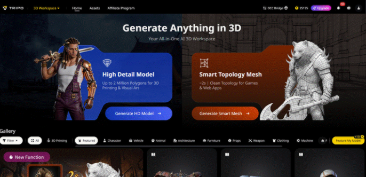
3D creators often face a common roadblock: tedious, manual tasks—from sculpting and retopology to texturing—eat into creative time and slow down projects. AI is changing that, automating the grunt work so artists can focus on their vision. Tripo Studio, an all-in-one AI 3D Model Generator, leads this shift, simplifying every step of the 3D workflow for creators of all skill levels.
Tripo Studio’s Core AI Features: Simplifying 3D Creation, One Tool at a Time
- Text to 3D Model
Tripo Studio’s Text to 3D Model feature converts simple text prompts into detailed 3D models in seconds, eliminating the need for manual sculpting from scratch. It solves the problem of translating abstract ideas into tangible 3D forms— a process that once took hours or days for even experienced artists. With this feature, creators can type a prompt (e.g., “a sleek, futuristic coffee mug with metallic accents and a matte finish”) and get a fully realised 3D model instantly, cutting down ideation time and accelerating project kickoff.
- Image to 3D Model
This feature allows users to upload any 2D image—whether a concept sketch, reference photo, or digital art—and transform it into a realistic 3D model with a single click. It addresses the challenge of converting 2D visuals to 3D, which traditionally required manual tracing and sculpting, often leading to inconsistencies between the original image and the final model. Tripo Studio’s AI accurately captures the details, proportions, and textures of the 2D image, ensuring the 3D model stays true to the original vision while saving hours of manual work.
- AI Model Segmentation
AI Model Segmentation automatically breaks down complex 3D models into individual, editable parts—such as a character’s head, torso, and limbs, or a product’s components. It solves the frustration of editing large, single-piece models, where making small changes to one area can disrupt the entire design. By segmenting the model, creators can modify, reposition, or replace specific parts without affecting the rest of the model, streamlining the editing process and reducing errors.
- AI Retopology
Retopology—the process of creating a clean, optimised mesh for animation, rendering, or 3D printing—is one of the most tedious tasks in 3D creation. Tripo Studio’s AI Retopology automates this process, generating a smooth, low-poly mesh that preserves the original model’s shape and details, without the need for manual edge looping. It eliminates the hours spent on manual retopology, ensuring models are game-ready, print-ready, and compatible with all major 3D software, while maintaining structural integrity.
- AI Texturing
AI Texturing automatically applies high-quality, realistic textures to 3D models, eliminating the need for manual texture painting—a task that requires advanced artistic skills and hours of work. It solves the problem of inconsistent textures, uneven shading, and the steep learning curve of texture creation tools. Tripo Studio’s AI analyzes the model’s shape and context to apply appropriate textures (e.g., wood, metal, fabric) with realistic details like scratches, wear, and lighting effects, giving models a polished, professional look in seconds.
- Auto-ranging
Auto-ranging is a unique feature that automatically adjusts the model’s scale, lighting, and perspective to ensure consistency across all 3D assets in a project. It addresses the common issue of mismatched scales or inconsistent lighting when working with multiple models, which can ruin the cohesion of a scene. With Auto-ranging, creators can focus on designing individual assets, knowing Tripo Studio will ensure they fit seamlessly into the larger project, saving time on manual adjustments.
Real-World Use Cases: Tripo Studio for Every 3D Creator
Tripo Studio isn’t just a tool—it’s a solution for creators across industries, adapting to diverse use cases and streamlining workflows for professionals and hobbyists alike:
Game Development: Game devs can quickly generate 3D assets (characters, props, environments) from text or concept art, use AI Retopology to optimise models for real-time engines like Unity and Unreal, and apply AI Texturing to create immersive, game-ready assets—cutting down asset creation time by up to 80% compared to traditional workflows. Independent developers, in particular, benefit from the tool’s speed and ease of use, allowing them to compete with larger studios on a smaller budget.
Archviz (Architectural Visualisation): Architects and designers can convert 2D floor plans or sketches into 3D models, apply realistic textures (wood, stone, paint), and use Auto-ranging to ensure consistent scale across furniture, fixtures, and architectural elements. This allows clients to visualise spaces before construction, reducing revisions and speeding up the design approval process.
3D Printing: Hobbyists and professionals can generate 3D printable models from text or images, use AI Retopology to ensure the mesh is watertight and optimised for printing, and segment models to make complex prints easier to assemble. Tripo Studio’s accuracy ensures prints turn out true to the original vision, eliminating the need for manual mesh fixes.
Product Design: Product designers can quickly prototype ideas by converting sketches or text prompts into 3D models, test different textures and colours with AI Texturing, and make edits using AI Model Segmentation—speeding up the iteration process and allowing for faster feedback from clients or stakeholders. The tool’s一体化 workflow means designers don’t have to switch between multiple software to bring their ideas to life.
VFX / Metaverse: VFX artists can generate high-quality 3D assets for films, TV shows, or social media content, while metaverse creators can design avatars, environments, and interactive props in minutes. Tripo Studio’s speed and quality ensure assets are ready for real-time rendering, making it easier to keep up with the fast-paced demands of the VFX and metaverse industries.
What Sets Tripo Studio Apart? Simplicity, Speed, and Quality
In a crowded market of AI 3D tools, Tripo Studio stands out for its focus on accessibility and efficiency—without sacrificing quality. Unlike tools that require advanced technical skills or force users to jump between multiple platforms, Tripo Studio offers a seamless, all-in-one experience:
- Speed: Tripo Studio generates 3D models, applies textures, and optimizes topology in seconds, not hours—cutting down project timelines dramatically. Its speed is unmatched, making it ideal for creators who need to iterate quickly or meet tight deadlines.
- Quality: The tool’s AI produces clean, detailed models with realistic textures and optimized meshes, ensuring assets are professional-grade and ready for use in games, prints, or visualizations. Recent updates have boosted modeling precision by 3x, closing the gap between AI-generated and manually created assets.
- No Professional Skills Required: Tripo Studio’s intuitive interface means beginners can create high-quality 3D assets without prior experience, while professionals can streamline their workflows and focus on creativity. The tool’s “creative工具箱” approach makes it easy for anyone to bring their ideas to life.
- All-in-One Tool: From text/image input to model generation, editing, texturing, and export, Tripo Studio handles every step of the 3D workflow in one platform—no need to switch between Blender, Substance Painter, or other tools, saving time and reducing frustration.
Step-by-Step: Create a 3D Asset with Tripo Studio in 5 Minutes
Ready to see how easy 3D creation can be? Follow this simple tutorial to generate a professional 3D asset with Tripo Studio—no prior experience required:
- Upload Image / Type Prompt: Open Tripo Studio and either type a detailed text prompt (e.g., “a minimalist ceramic vase with a curved neck and floral pattern”) or upload a 2D image (sketch, photo, or concept art) as your reference.
- Generate 3D: Click the “Generate” button, and Tripo Studio’s AI will create a 3D model in seconds. You can preview the model from all angles and adjust the prompt/image if needed to refine the result.
- Auto-segment + Retopologize: Use AI Model Segmentation to break the model into editable parts (e.g., the vase’s body and neck) and AI Retopology to optimize the mesh for printing, animation, or rendering—all with a single click.
- AI Texture: Select a texture style (e.g., ceramic, glass, painted) or let the AI automatically apply a texture that matches your model. You can tweak the texture details (e.g., add scratches, adjust color) to get the perfect look.
- Export: Export your finished 3D model in your preferred format (OBJ, FBX, STL) and use it in your project—whether it’s for 3D printing, game development, archviz, or VFX. You can also export directly to major 3D software for further refinement if needed.
Ready to Transform Your 3D Workflow?
Gone are the days of spending hours on manual 3D tasks. Tripo Studio’s AI-powered tools put the power of professional 3D creation in your hands, whether you’re a seasoned artist, a beginner, or a professional in game dev, archviz, or product design. It’s not about replacing creators—it’s about freeing you to focus on what you do best: create. Best of all, you can try Tripo Studio for free with a generous monthly credit allowance, so you can test all its features without any commitment. Sign up today via our exclusive access to Tripo Studio’s free trial and start turning your ideas into a 3D reality in seconds.